> ## Documentation Index
> Fetch the complete documentation index at: https://docs.kaireonai.com/llms.txt
> Use this file to discover all available pages before exploring further.
# Tutorial: Retail Rewards Offers
> Follow along as we build a complete next-best-action pipeline for a retail rewards program. Load data, explore offers, run recommendations, and watch models learn.
# Tutorial: Retail Rewards NBA Pipeline
This hands-on tutorial walks you through the entire KaireonAI platform using a sample retail rewards dataset modeled on a real loyalty-program offer pattern. You'll set up a complete NBA pipeline — from loading data to watching models learn from customer responses.
**What you'll learn:**
* How offers, channels, and creatives work together
* How decisioning gates and contact policies filter decisions
* How to run the Recommend API and interpret results
* How to record outcomes and see models improve
* How to read the dashboards and debug eligibility
**Time:** 15-20 minutes
***
## Step 1: Load the Dataset
Navigate to **Settings → Sample Data** and click **Load** on the Retail Rewards Offers dataset.
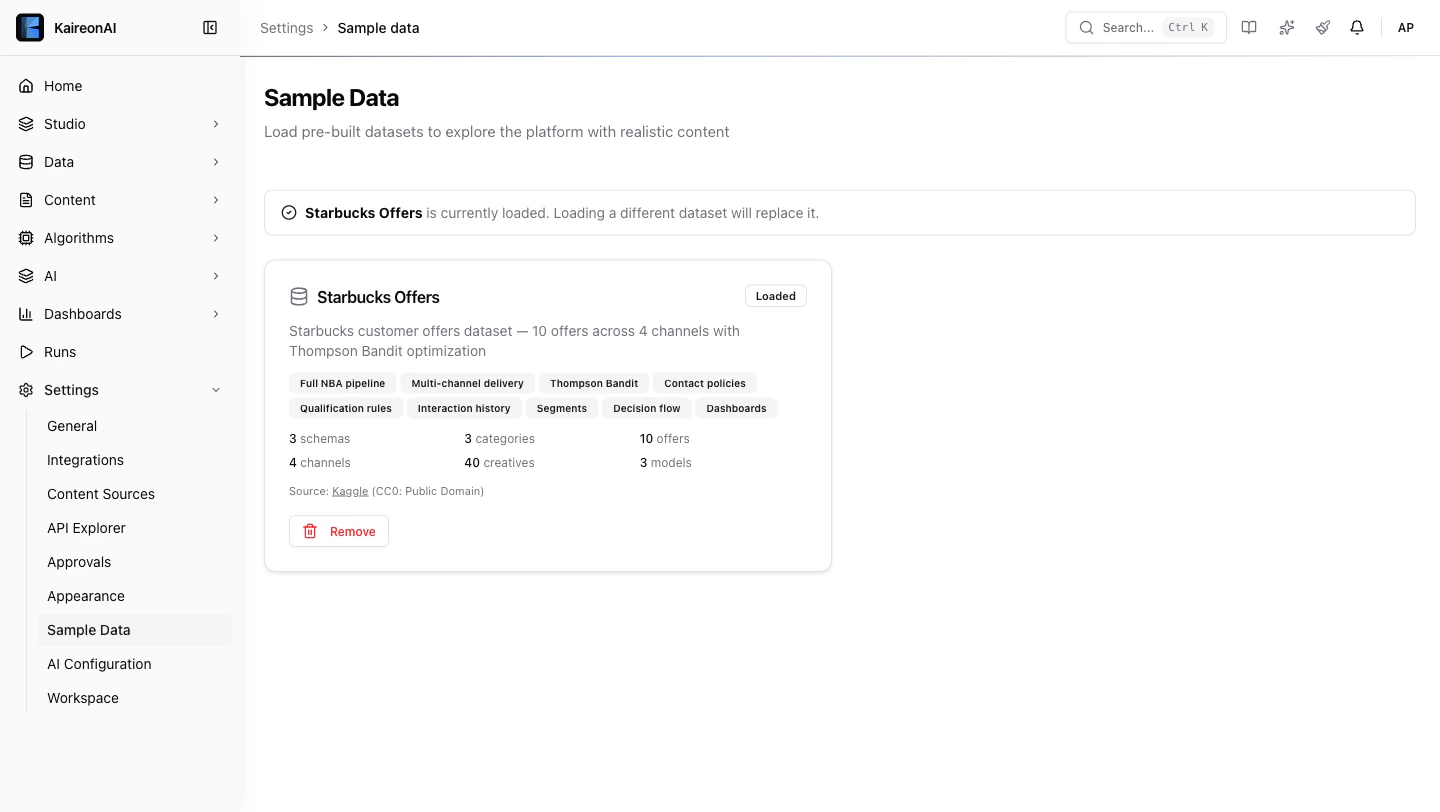 This creates everything you need:
| Entity | Count | What it is |
| ----------------- | ----- | ------------------------------------------------------------------------------- |
| Customers | 100 | Retail rewards loyalty members with age, gender, income, membership tenure |
| Offers | 10 | 4 BOGO, 4 Discount, 2 Informational — each with different difficulty and reward |
| Creatives | 60 | Each offer × 6 channels = one creative per channel |
| Channels | 6 | Web, Email, Mobile Push, Social, Batch Email, Manual Outreach |
| Models | 3 | Scorecard, Bayesian, Thompson Bandit |
| Decisioning Gates | 5 | Age gate, income gate, loyalty gate, plus offer-specific restrictions |
| Contact Policies | 5 | Daily cap, cooldown, post-conversion pause, weekly cap, mutual exclusion |
| Decision Flow | 1 | Full pipeline: inventory → qualify → contact policy → score → rank → response |
| Interactions | 500 | Pre-loaded interaction history so dashboards have data immediately |
***
## Step 2: Explore the Offers
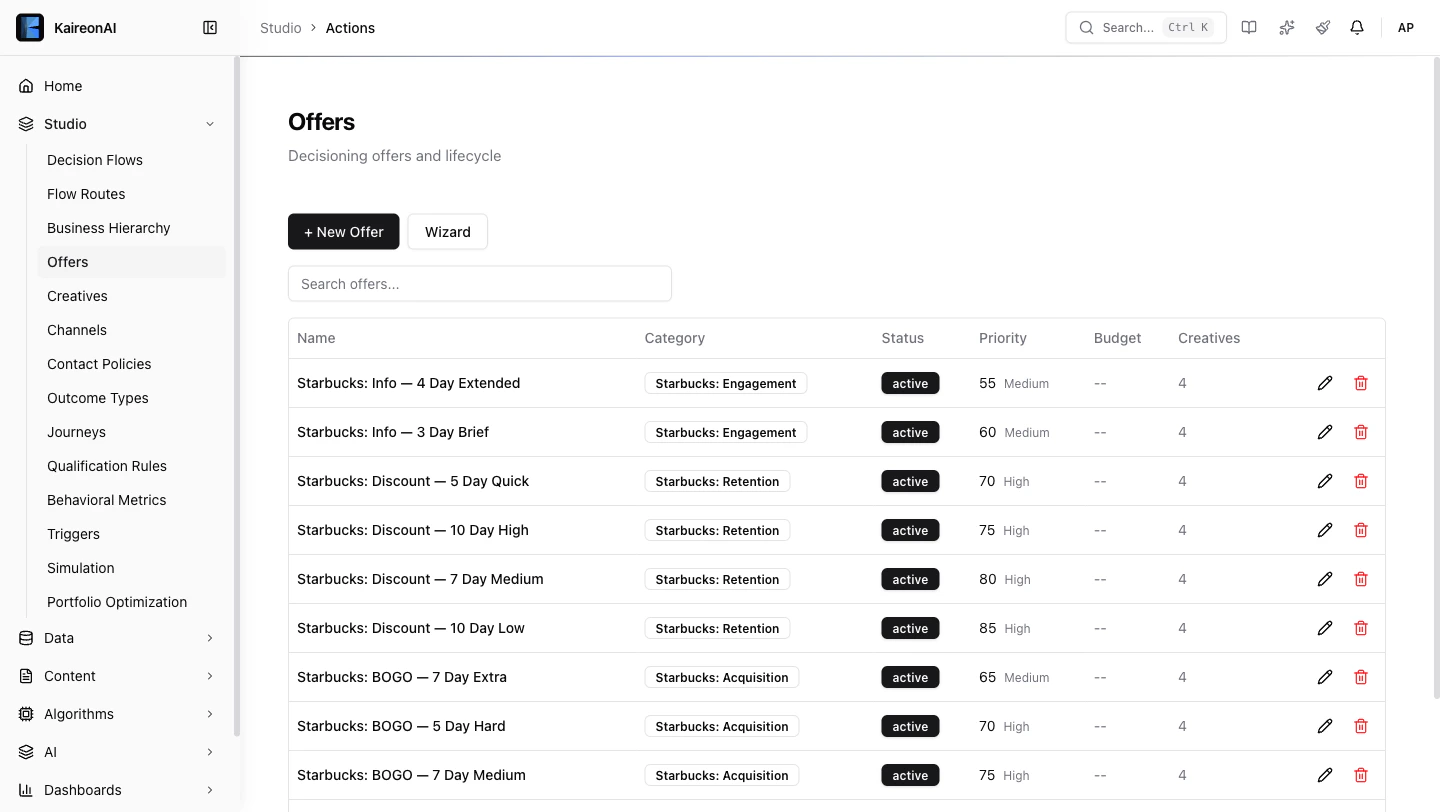
Go to **Studio → Offers**. You'll see 10 offers organized into 3 categories:
This creates everything you need:
| Entity | Count | What it is |
| ----------------- | ----- | ------------------------------------------------------------------------------- |
| Customers | 100 | Retail rewards loyalty members with age, gender, income, membership tenure |
| Offers | 10 | 4 BOGO, 4 Discount, 2 Informational — each with different difficulty and reward |
| Creatives | 60 | Each offer × 6 channels = one creative per channel |
| Channels | 6 | Web, Email, Mobile Push, Social, Batch Email, Manual Outreach |
| Models | 3 | Scorecard, Bayesian, Thompson Bandit |
| Decisioning Gates | 5 | Age gate, income gate, loyalty gate, plus offer-specific restrictions |
| Contact Policies | 5 | Daily cap, cooldown, post-conversion pause, weekly cap, mutual exclusion |
| Decision Flow | 1 | Full pipeline: inventory → qualify → contact policy → score → rank → response |
| Interactions | 500 | Pre-loaded interaction history so dashboards have data immediately |
***
## Step 2: Explore the Offers
Go to **Studio → Offers**. You'll see 10 offers organized into 3 categories:
 ### Acquisition (BOGO Offers)
| Offer | Min Spend | Priority | Target |
| ------------------- | --------- | -------- | ------------------------------------- |
| BOGO — 5 Day Easy | \$5 | 80 | New customers, low barrier |
| BOGO — 7 Day Medium | \$10 | 75 | Regular visitors |
| BOGO — 5 Day Hard | \$20 | 70 | High-value customers (income ≥ \$70K) |
| BOGO — 7 Day Extra | None | 65 | Lapsed customer re-engagement |
### Retention (Discount Offers)
| Offer | Min Spend | Priority | Target |
| ----------------------- | --------- | -------- | ---------------------------- |
| Discount — 10 Day Low | \$7 | 85 | Price-sensitive, high volume |
| Discount — 7 Day Medium | \$10 | 80 | Mid-tier retention |
| Discount — 10 Day High | \$20 | 75 | Loyal customers aged 35+ |
| Discount — 5 Day Quick | \$5 | 70 | Urgency / immediate visits |
### Engagement (Informational)
| Offer | Priority | Purpose |
| --------------------- | -------- | -------------------------- |
| Info — 3 Day Brief | 60 | Seasonal product awareness |
| Info — 4 Day Extended | 55 | Product launch campaigns |
**Notice:** Each offer has 4 creatives (one per channel) with channel-appropriate content — email has subject lines, mobile has deep links, social has hashtags.
***
## Step 3: Understand the Rules
### Decisioning Gates (who can receive offers)
Go to **Studio → Decisioning Gates** to see all 5 rules:
| Rule | What it checks | Effect |
| ----------------------------- | --------------------------------- | ------------------------------------- |
| **Min Age 18** | `age ≥ 18` | Legal requirement — blocks minors |
| **Min Income \$30k** | `income ≥ $30,000` | Ensures spending power |
| **Loyalty Members Only** | `membership_days ≥ 30` | Only established members |
| **Premium BOGO — High Spend** | `income ≥ $70k` on BOGO Hard only | Targets high-value for premium offers |
| **Senior Discount Gate** | `age ≥ 35` on Discount High only | Mature customers with habits |
### Contact Policies (how often / when)
Go to **Studio → Contact Policies**:
| Policy | What it does |
| --------------------------------- | ------------------------------------------- |
| **Max 3 per Day** | No more than 3 offers per customer per day |
| **24hr Same-Offer Cooldown** | Don't repeat the same offer within 24 hours |
| **48hr Post-Conversion Cooldown** | After conversion, pause 48 hours |
| **Max 10 per Week** | Weekly global cap across all channels |
| **BOGO vs Discount Exclusion** | Don't show both types in same session |
***
## Step 4: Look Up a Customer
Go to **Data → Customer Viewer** and search for **SBX-000042**.
### Acquisition (BOGO Offers)
| Offer | Min Spend | Priority | Target |
| ------------------- | --------- | -------- | ------------------------------------- |
| BOGO — 5 Day Easy | \$5 | 80 | New customers, low barrier |
| BOGO — 7 Day Medium | \$10 | 75 | Regular visitors |
| BOGO — 5 Day Hard | \$20 | 70 | High-value customers (income ≥ \$70K) |
| BOGO — 7 Day Extra | None | 65 | Lapsed customer re-engagement |
### Retention (Discount Offers)
| Offer | Min Spend | Priority | Target |
| ----------------------- | --------- | -------- | ---------------------------- |
| Discount — 10 Day Low | \$7 | 85 | Price-sensitive, high volume |
| Discount — 7 Day Medium | \$10 | 80 | Mid-tier retention |
| Discount — 10 Day High | \$20 | 75 | Loyal customers aged 35+ |
| Discount — 5 Day Quick | \$5 | 70 | Urgency / immediate visits |
### Engagement (Informational)
| Offer | Priority | Purpose |
| --------------------- | -------- | -------------------------- |
| Info — 3 Day Brief | 60 | Seasonal product awareness |
| Info — 4 Day Extended | 55 | Product launch campaigns |
**Notice:** Each offer has 4 creatives (one per channel) with channel-appropriate content — email has subject lines, mobile has deep links, social has hashtags.
***
## Step 3: Understand the Rules
### Decisioning Gates (who can receive offers)
Go to **Studio → Decisioning Gates** to see all 5 rules:
| Rule | What it checks | Effect |
| ----------------------------- | --------------------------------- | ------------------------------------- |
| **Min Age 18** | `age ≥ 18` | Legal requirement — blocks minors |
| **Min Income \$30k** | `income ≥ $30,000` | Ensures spending power |
| **Loyalty Members Only** | `membership_days ≥ 30` | Only established members |
| **Premium BOGO — High Spend** | `income ≥ $70k` on BOGO Hard only | Targets high-value for premium offers |
| **Senior Discount Gate** | `age ≥ 35` on Discount High only | Mature customers with habits |
### Contact Policies (how often / when)
Go to **Studio → Contact Policies**:
| Policy | What it does |
| --------------------------------- | ------------------------------------------- |
| **Max 3 per Day** | No more than 3 offers per customer per day |
| **24hr Same-Offer Cooldown** | Don't repeat the same offer within 24 hours |
| **48hr Post-Conversion Cooldown** | After conversion, pause 48 hours |
| **Max 10 per Week** | Weekly global cap across all channels |
| **BOGO vs Discount Exclusion** | Don't show both types in same session |
***
## Step 4: Look Up a Customer
Go to **Data → Customer Viewer** and search for **SBX-000042**.
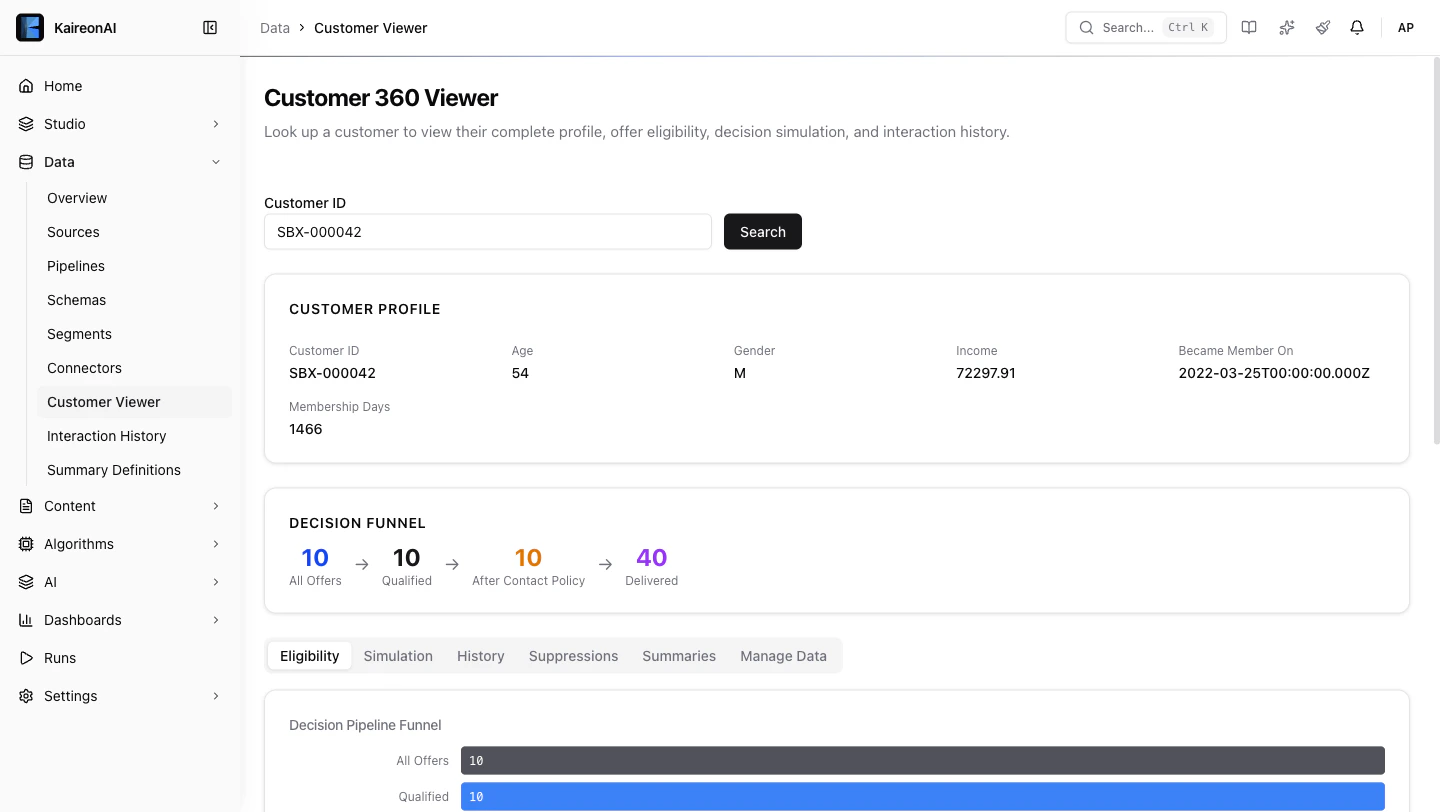 You'll see:
* **Profile card** with demographics (age, income, gender, membership days)
* **Eligibility tab** showing which of the 10 offers this customer qualifies for
* **Pipeline funnel** showing how many candidates survive each stage
* **Rule detail** — expand any offer to see exactly which rules passed/failed
**Try different customer IDs to see different results.** The 100 seeded
customers use IDs `SBX-000000` through `SBX-000099`, and each one's demographics
(age, gender, income, membership tenure) are generated from a fixed random seed —
so the same ID always resolves to the same profile. Search a few and compare
which of the 10 offers each qualifies for, and watch the age and income gates
include or exclude the premium BOGO and senior discount offers.
***
## Step 5: Run a Recommendation
### From the API Explorer
Go to **Settings → API Explorer** and try:
```json theme={null}
POST /api/v1/recommend
{
"customerId": "SBX-000042",
"decisionFlowKey": "retail-rewards-decision-pipeline",
"limit": 5
}
```
The response shows:
* **decisions** — the top 5 offers ranked by score
* **meta** — pipeline trace (totalCandidates → afterQualification → afterContactPolicy → count)
* **recommendationId** — save this for the next step
### From curl
```bash theme={null}
curl -X POST http://localhost:3000/api/v1/recommend \
-H "Content-Type: application/json" \
-H "x-api-key: YOUR_API_KEY" \
-d '{
"customerId": "SBX-000042",
"decisionFlowKey": "retail-rewards-decision-pipeline",
"limit": 5
}'
```
***
## Step 6: Record an Outcome
When a customer responds to a recommendation, record it:
```json theme={null}
POST /api/v1/respond
{
"customerId": "SBX-000042",
"recommendationId": "THE_ID_FROM_STEP_5",
"rank": 1,
"outcome": "click"
}
```
**Important:** Include the `Idempotency-Key` header to prevent double-counting.
Try recording different outcomes:
* `"click"` — customer clicked the offer
* `"accept"` — customer accepted/redeemed
* `"dismiss"` — customer dismissed it
* `"convert"` — customer completed a purchase
After recording a conversion (`accept` or `convert`), try recommending again — you'll see the **48hr post-conversion cooldown** kick in, suppressing offers temporarily.
***
## Step 7: Check the Dashboards
### Business Dashboard
Go to **Dashboards → Business**. You'll see:
You'll see:
* **Profile card** with demographics (age, income, gender, membership days)
* **Eligibility tab** showing which of the 10 offers this customer qualifies for
* **Pipeline funnel** showing how many candidates survive each stage
* **Rule detail** — expand any offer to see exactly which rules passed/failed
**Try different customer IDs to see different results.** The 100 seeded
customers use IDs `SBX-000000` through `SBX-000099`, and each one's demographics
(age, gender, income, membership tenure) are generated from a fixed random seed —
so the same ID always resolves to the same profile. Search a few and compare
which of the 10 offers each qualifies for, and watch the age and income gates
include or exclude the premium BOGO and senior discount offers.
***
## Step 5: Run a Recommendation
### From the API Explorer
Go to **Settings → API Explorer** and try:
```json theme={null}
POST /api/v1/recommend
{
"customerId": "SBX-000042",
"decisionFlowKey": "retail-rewards-decision-pipeline",
"limit": 5
}
```
The response shows:
* **decisions** — the top 5 offers ranked by score
* **meta** — pipeline trace (totalCandidates → afterQualification → afterContactPolicy → count)
* **recommendationId** — save this for the next step
### From curl
```bash theme={null}
curl -X POST http://localhost:3000/api/v1/recommend \
-H "Content-Type: application/json" \
-H "x-api-key: YOUR_API_KEY" \
-d '{
"customerId": "SBX-000042",
"decisionFlowKey": "retail-rewards-decision-pipeline",
"limit": 5
}'
```
***
## Step 6: Record an Outcome
When a customer responds to a recommendation, record it:
```json theme={null}
POST /api/v1/respond
{
"customerId": "SBX-000042",
"recommendationId": "THE_ID_FROM_STEP_5",
"rank": 1,
"outcome": "click"
}
```
**Important:** Include the `Idempotency-Key` header to prevent double-counting.
Try recording different outcomes:
* `"click"` — customer clicked the offer
* `"accept"` — customer accepted/redeemed
* `"dismiss"` — customer dismissed it
* `"convert"` — customer completed a purchase
After recording a conversion (`accept` or `convert`), try recommending again — you'll see the **48hr post-conversion cooldown** kick in, suppressing offers temporarily.
***
## Step 7: Check the Dashboards
### Business Dashboard
Go to **Dashboards → Business**. You'll see:
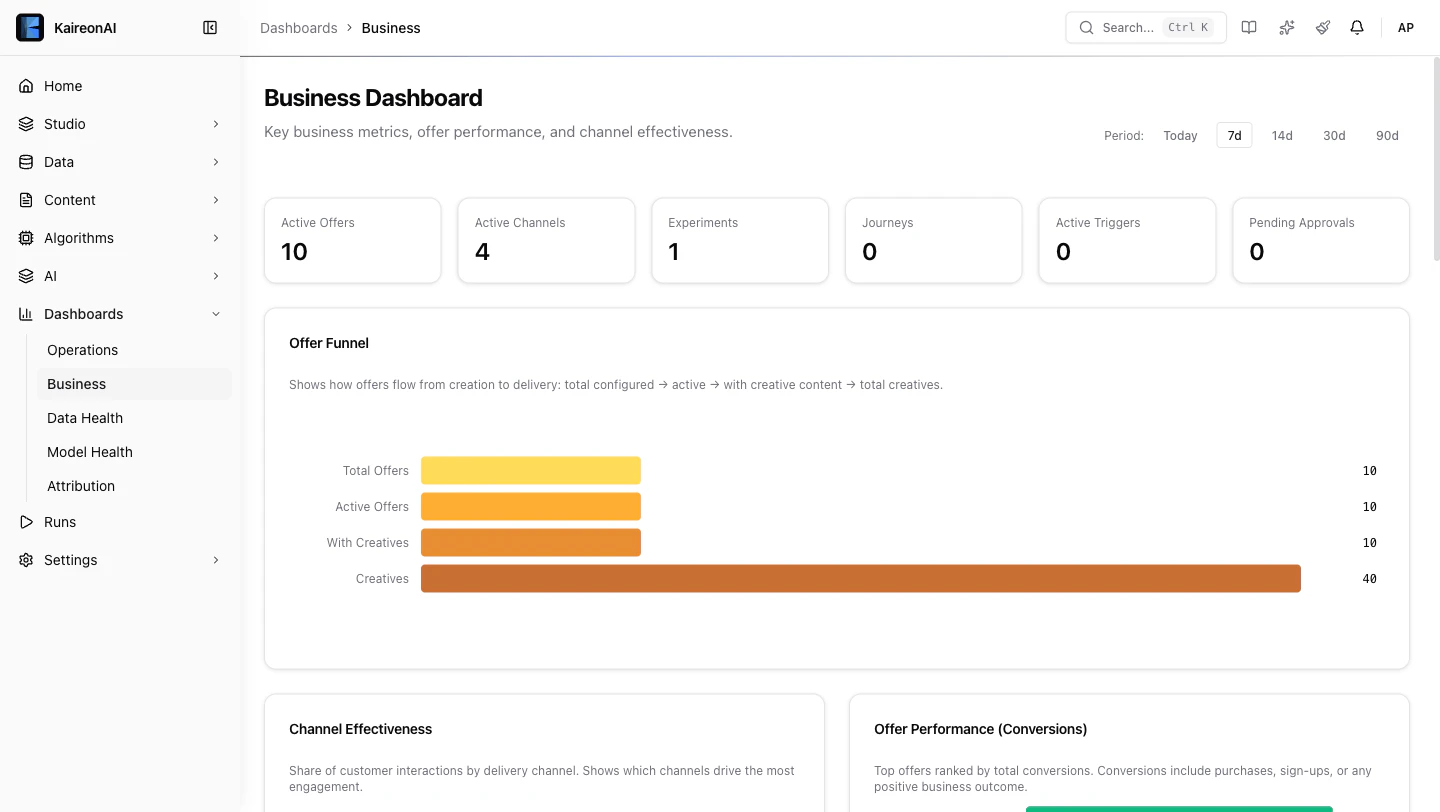 * **Channel Effectiveness** donut chart — which channels drive the most engagement
* **Offer Performance** bars — which offers get the most conversions
* **Daily Trend** line chart — impression and conversion volume over time
Use the **period filter** (Today / 7d / 14d / 30d / 90d) to adjust the time window.
### Operations Dashboard
Go to **Dashboards → Operations**:
* **Acceptance Rate by Offer** — see which offers customers actually respond to
* **Total Decisions** — how many recommendations have been made
### Model Health
Go to **Dashboards → Model Health**:
* Select different models from the dropdown to see AUC trends
* **Score Distribution** — see how propensity scores are distributed
* Use the **View** buttons (All / By Channel / By Offer / By Category) to break down scores
***
## Step 8: Explore the Decision Flow
Go to **Studio → Decision Flows** and click on **Retail Rewards: Full Decision Pipeline**.
* **Channel Effectiveness** donut chart — which channels drive the most engagement
* **Offer Performance** bars — which offers get the most conversions
* **Daily Trend** line chart — impression and conversion volume over time
Use the **period filter** (Today / 7d / 14d / 30d / 90d) to adjust the time window.
### Operations Dashboard
Go to **Dashboards → Operations**:
* **Acceptance Rate by Offer** — see which offers customers actually respond to
* **Total Decisions** — how many recommendations have been made
### Model Health
Go to **Dashboards → Model Health**:
* Select different models from the dropdown to see AUC trends
* **Score Distribution** — see how propensity scores are distributed
* Use the **View** buttons (All / By Channel / By Offer / By Category) to break down scores
***
## Step 8: Explore the Decision Flow
Go to **Studio → Decision Flows** and click on **Retail Rewards: Full Decision Pipeline**.
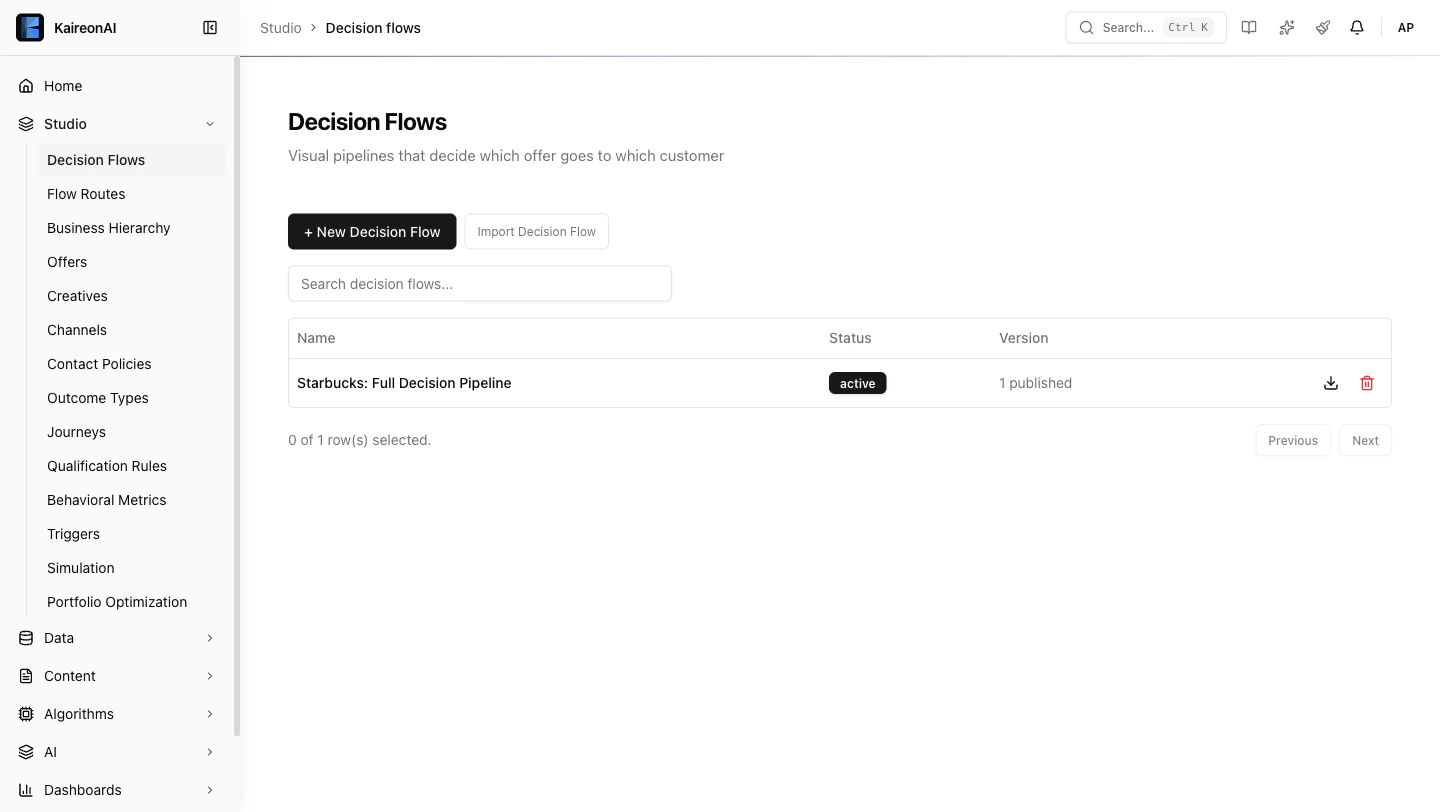 This is the heart of the system — a composable pipeline that processes every recommendation request:
1. **Inventory** — loads all active offers and their creatives
2. **Qualification** — applies 5 rules, drops ineligible candidates
3. **Contact Policy** — applies 5 suppression policies
4. **Score** — runs the selected ML model (Scorecard, Bayesian, or Thompson Bandit)
5. **Rank** — selects the top N candidates by score
6. **Response** — formats the final recommendation
Each stage narrows the candidates. In the Customer Viewer's **Eligibility tab**, you can see exactly how many survive each stage.
***
## What's Next?
Now that you've explored the retail rewards pipeline, try:
* **Creating your own offer** — Studio → Offers → + New Offer
* **Adding a decisioning gate** — target a specific customer segment
* **Setting up an experiment** — Algorithms → Experiments to A/B test models
* **Building a journey** — Studio → Journeys for multi-step customer flows
* **Connecting your own data** — Data → Connectors to bring in real customer data
For the full API reference, visit [docs.kaireonai.com/api-reference](/api-reference/introduction).
This is the heart of the system — a composable pipeline that processes every recommendation request:
1. **Inventory** — loads all active offers and their creatives
2. **Qualification** — applies 5 rules, drops ineligible candidates
3. **Contact Policy** — applies 5 suppression policies
4. **Score** — runs the selected ML model (Scorecard, Bayesian, or Thompson Bandit)
5. **Rank** — selects the top N candidates by score
6. **Response** — formats the final recommendation
Each stage narrows the candidates. In the Customer Viewer's **Eligibility tab**, you can see exactly how many survive each stage.
***
## What's Next?
Now that you've explored the retail rewards pipeline, try:
* **Creating your own offer** — Studio → Offers → + New Offer
* **Adding a decisioning gate** — target a specific customer segment
* **Setting up an experiment** — Algorithms → Experiments to A/B test models
* **Building a journey** — Studio → Journeys for multi-step customer flows
* **Connecting your own data** — Data → Connectors to bring in real customer data
For the full API reference, visit [docs.kaireonai.com/api-reference](/api-reference/introduction).